 Amical
AI formatting
Turn a raw transcript into punctuation, structure, and an app-appropriate tone.
AI formatting runs your raw transcript through a language model that adds punctuation and structure, and shapes the output to fit the app you're dictating into. An email gets a greeting on its own line; a Slack message stays a one-liner; meeting notes come back as bullets.
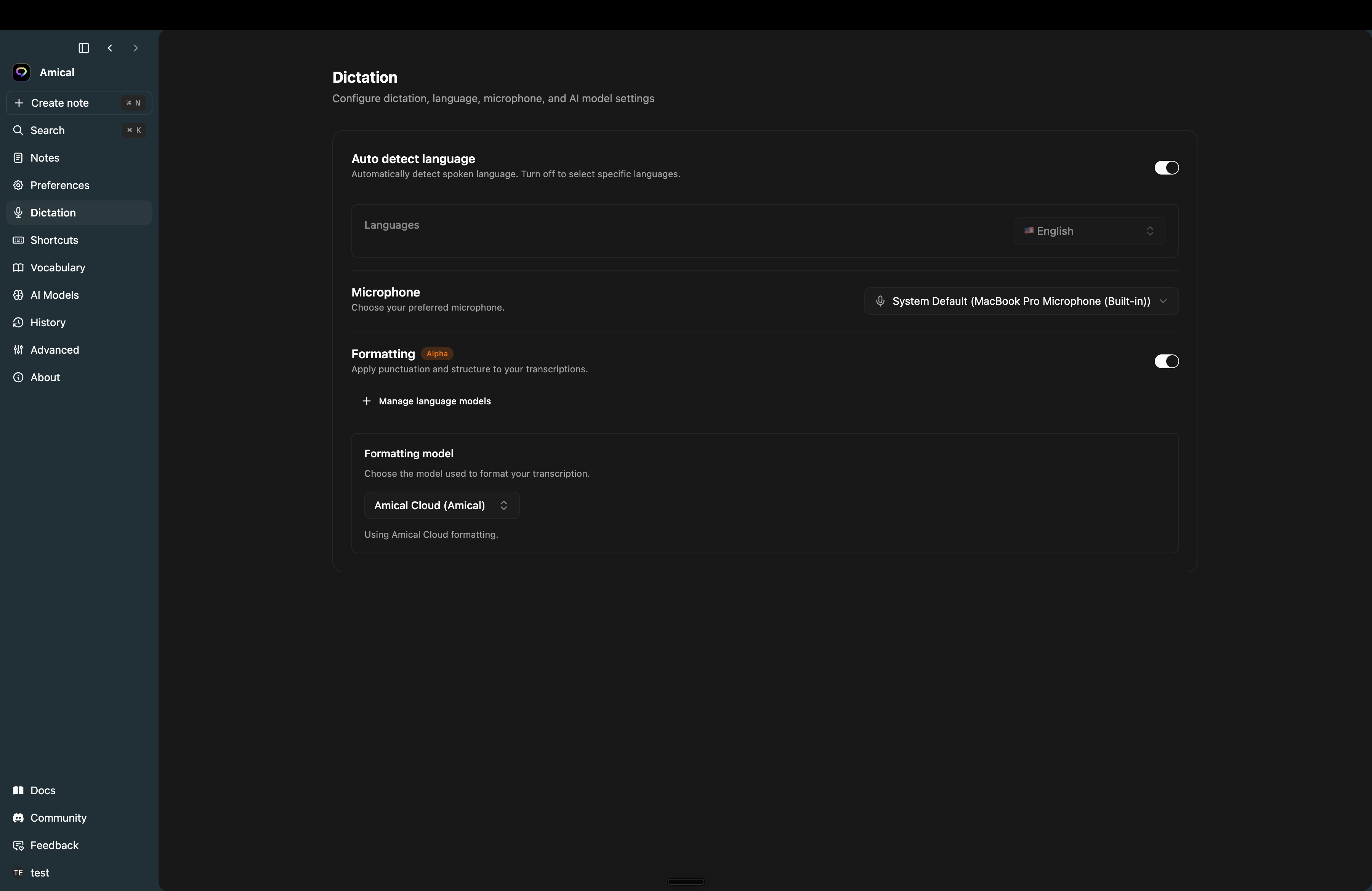
Turn it on
Open Settings → Dictation → Formatting (marked Alpha) and flip the switch.
The toggle is disabled until at least one of these is true:
- You have a local language model synced under Settings → AI Models → Language (Ollama or any OpenAI-compatible endpoint), or
- You're signed in and using the Amical Cloud speech model. The cloud formatter rides on the same connection as cloud speech, so both have to be set up.
The Formatting model picker below the toggle lets you choose which model does the rewrite — Amical Cloud, or any local language model you've synced.
What changes per app
Amical detects the focused app and adjusts the formatting rules. The same dictation comes out differently depending on where it lands.
Input: hi john um i wanted to follow up on our meeting the proposal looks good but we need to revise the timeline thanks sarah
Output:
Hi John,

I wanted to follow up on our meeting. The proposal looks good, but we need to revise the timeline.

Thanks,
Sarah
Greeting, body, and closing land on their own lines. Tone stays professional. Short replies stay short — no greeting is invented if you didn't say one.
Chat (Slack, Discord, iMessage)
Input: hey um quick question do you know if the deploy went through i saw some errors in the logs
Output:
Hey, quick question - do you know if the deploy went through? I saw some errors in the logs.Conversational. Dashes and commas for natural pauses instead of paragraph breaks. Emoji preserved. Short replies don't get padded.
Notes
Input: meeting notes attendees john sarah mike discussed the roadmap action items sarah to finalize design by friday mike to review budget
Output:
Meeting Notes

Attendees: John, Sarah, Mike

Discussed the roadmap.

Action items:
- Sarah to finalize design by Friday
- Mike to review budget
Headings and bullets when the content implies a list. Action items get pulled out. Scannable, not prose-heavy.
Amical Notes
Input into a note in Amical itself goes a step further — it's formatted as Markdown that adapts to length: a one-liner stays a paragraph, medium-length content gets bullets, longer content gets headers and sub-sections. Bold for emphasis, code blocks for technical content.
Everything else
Apps that don't match a known category (search bars, terminal, address fields) get a plain cleanup — punctuation and casing, no structural rewriting.
How Amical reads the context
Three signals shape what comes out:
- The focused app — Slack, Mail, your editor, a browser tab. This is the main signal; it picks the formatting ruleset above.
- The focused field's role — on macOS, accessibility permission lets Amical tell a search bar from a long-form composer, so the same dictation gets shaped differently inside the same app.
- The active language — auto-detected per recording unless you've pinned one in Settings → Dictation.
The signal is the focused app, not the words you say. Dictating "send John the report" into a search bar gives you the literal words — Amical doesn't issue actions on your behalf. Granting accessibility permission on macOS improves accuracy by letting Amical read the focused field's role.
Notes
- Formatting needs a language model — without one, the toggle is locked and you'll see "Formatting won't run - no language model available."
- Cloud formatting needs cloud speech and a signed-in account; switching either off disables it.
- The feature is Alpha — output can vary run-to-run, and edge cases (mixed languages, very long dictations) are still being tuned.
- For per-app customization of how formatting behaves — your own presets, tone overrides, custom skills per app — see Personalization.