 Amical
Advanced
Update channel, retention, paths, machine ID, and the reset button.
Settings → Advanced holds the things you'll touch rarely — once at setup, once when something's wrong.
Performance
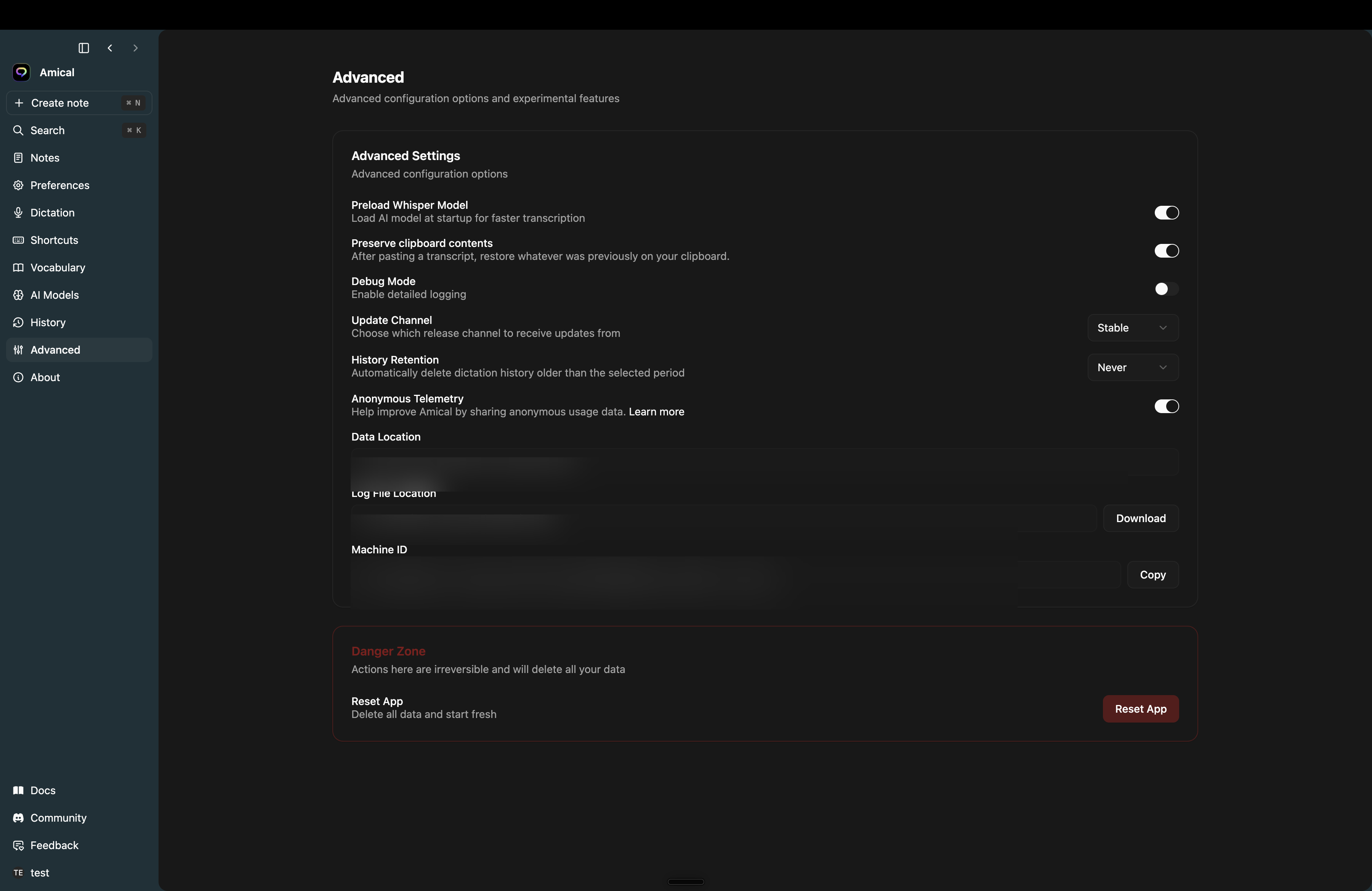
- Preload Whisper Model — keep the local speech model loaded in memory so the first push-to-talk is fast. On by default. Turn it off to save RAM if you mostly use the cloud model.
Behaviour
- Preserve clipboard contents — Amical pastes by writing to your clipboard, then restoring whatever was there before. On by default. Turn it off if you'd rather Amical leave its transcript on the clipboard.
- Debug Mode — extra logging for bug reports. Off by default.
Updates
- Update Channel — Stable (default) or Beta. Beta gets new features earlier and bugs to match. The auto-updater follows whichever you're on.
History
- History Retention — how long Amical keeps audio files attached to your transcriptions. 1 day, 7 days, 14 days, 28 days, Never. Default is Never. The transcript text always stays; only audio is pruned when you set a cutoff.
Privacy
- Anonymous Telemetry — see Telemetry for what's collected and the side-effects of turning it off.
Diagnostics
- Data Location — where Amical stores your database, models, and audio. Read-only.
- Log File Location — where logs live. The Download button next to it saves the current log file out for sharing in a bug report.
- Machine ID — your install's anonymous ID for telemetry. Copy puts it on your clipboard; include it in bug reports.
Danger zone
-
Reset App — wipes transcriptions, notes, vocabulary, settings, and downloaded models. Sign-out doesn't happen automatically; sign out separately if you also want to clear your account session.
The confirm dialog lists everything that will be deleted. The action runs a clean restart of the app afterwards.