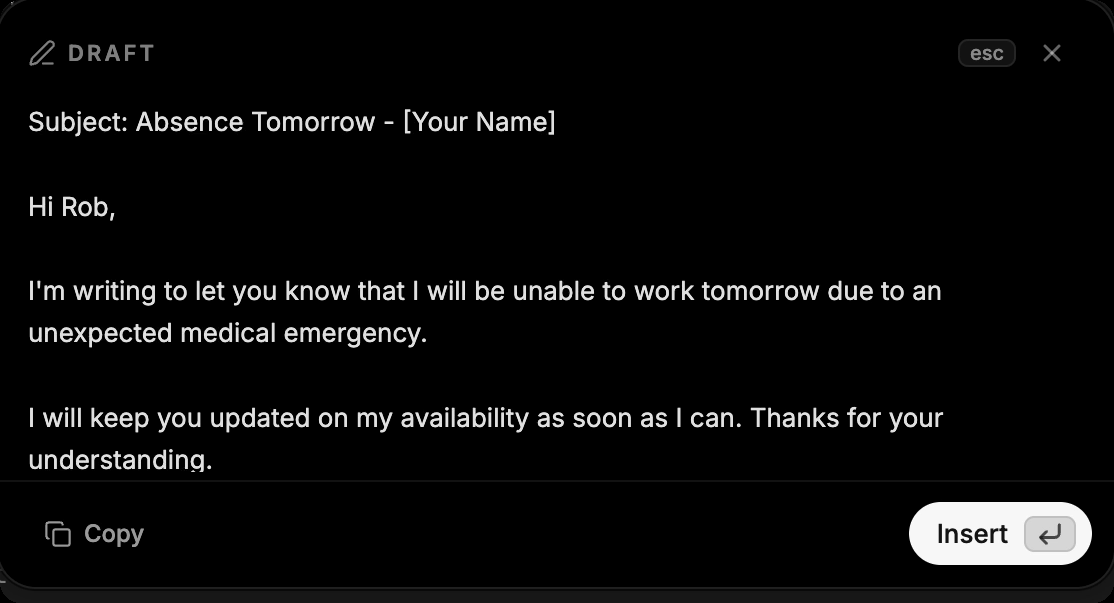
Dictation types what you say. Draft writes what you mean: hold the Draft shortcut, say "reply that I'll join the call five minutes late", and Amical writes the message and shows it for review. Press Enter to insert it.
New
- Draft mode on Amical Cloud, with a review window so nothing lands until you say so.
- Personalization. Set how formatting behaves per app: casual in chat, polished in email.
- Labs. Try experiments early, starting with self-correction: change your mind mid-sentence and Amical keeps only what you meant.
Improved
- Amical can start with Windows.
- Updates on Windows recover by themselves if a download is interrupted.